Free Auto Clicker for Minecraft on PC
Repeat left or right clicks in Minecraft on Windows, or hold a button down, with a hotkey to stop at any time.
Download for WindowsWindows 10/11 · x64 · Free · v8.1.0
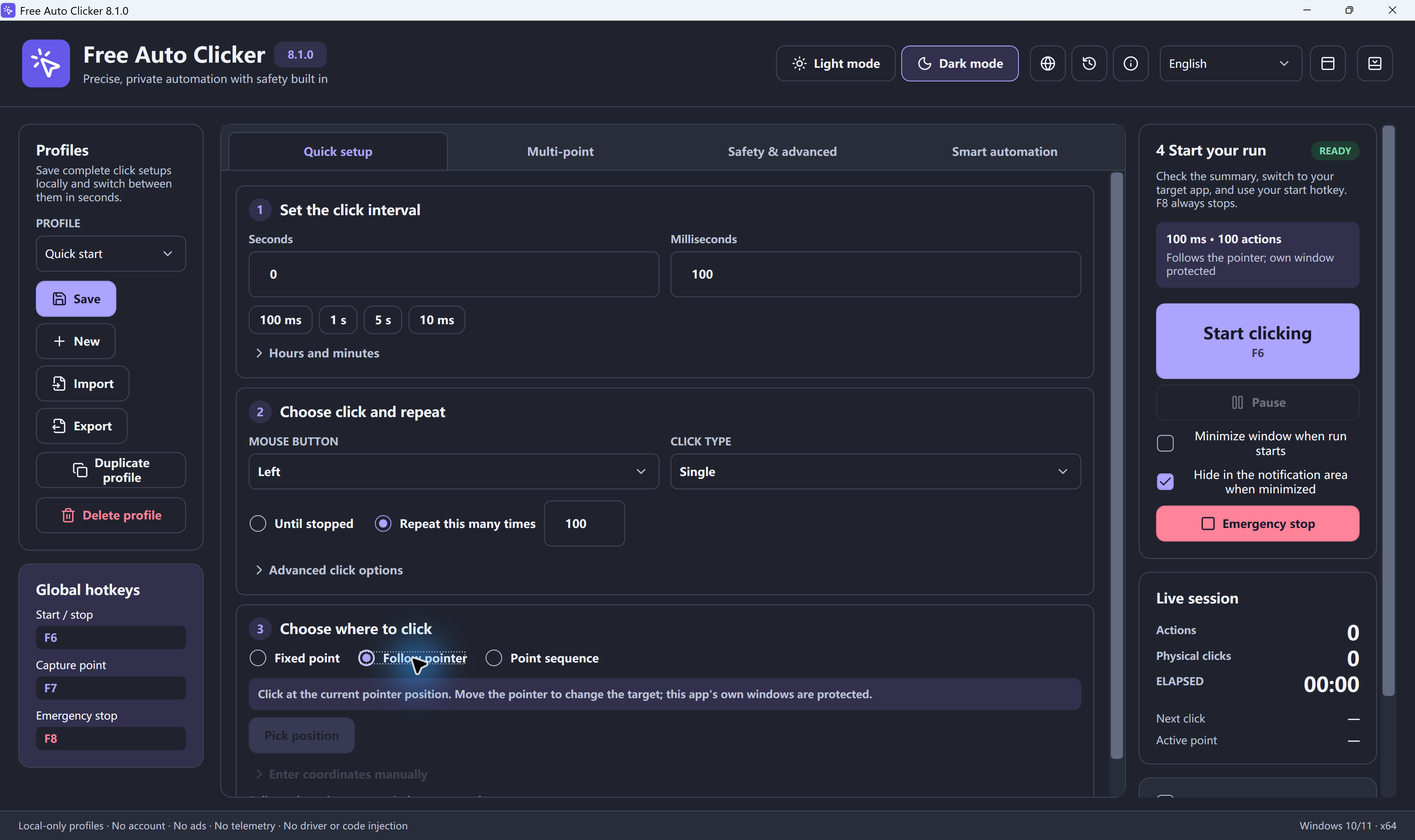
Short answer: Free Auto Clicker sends standard Windows mouse input, so it can click or hold a mouse button in Minecraft Java Edition and Bedrock Edition on Windows. Choose the button, the interval and Follow pointer, return to the game, and press F6. Press F8 to stop.
Minecraft auto clicker settings
| Task | Button and click type | Interval |
|---|---|---|
| Mob farm with a sword | Left, single click | 650–1,000 ms (lets the attack recharge) |
| Mining a block line | Left, press and hold | Set the hold time to suit the block |
| AFK fishing farm | Right, press and hold | Long hold, repeated |
| Placing blocks | Right, single click | 150–300 ms |
| Using a lever or button | Right, single click, fixed point | 1,000 ms or more |
In Java Edition 1.9 and later, weapons need time to recharge between hits, so faster clicking does not mean more damage. A sword recharges in about 0.6 seconds, which is why the mob farm row starts at 650 ms.
How to set it up
- Install Free Auto Clicker on Windows 11 or Windows 10.
- Pick the button and click type. Single click for attacks and placing, press and hold for mining and fishing.
- Set the interval from the table above.
- Choose Follow pointer so clicks land where your crosshair is.
- Set a limit, such as a run time, so the session ends on its own.
- Go back into the game and press F6. F6 pauses, F8 stops immediately.
Tips for Java Edition
- Minecraft pauses when it loses focus. Keep the game window in front while the clicker runs.
- If the game keeps opening the pause menu, press F3 + P to turn off "pause on lost focus" in Java Edition.
- Use windowed or borderless mode if clicks do not register in full screen.
More settings for other games are in the auto clicker for games guide. To turn a CPS value into an interval, use the click interval calculator.
Download Free Auto Clicker 8.1.0Test your CPS
Frequently asked questions
Does Free Auto Clicker work in Minecraft?
It sends standard Windows mouse input, so it can click or hold a button in Minecraft Java and Bedrock Edition on Windows. Keep the game window in front while it runs.
Can an auto clicker hold left click for mining?
Yes. Free Auto Clicker has a press-and-hold click type for the left, right or middle button. Press F8 to stop at any time.
What interval should I use for a mob farm?
In Java Edition 1.9 and later, start around 650 to 1,000 ms so the sword recharges between hits. Faster clicking does not add damage.
Will I get banned for using an auto clicker in Minecraft?
Many multiplayer servers ban auto clickers, especially in PvP. Use them in single-player worlds or on servers that allow them.
Does it work on Minecraft for Chromebook, mobile or console?
No. Free Auto Clicker runs on Windows 11 and Windows 10 PCs only.
Ready to automate the clicks on your PC?
Free Auto Clicker repeats clicks at the interval you choose, in any Windows app.
Download for WindowsWindows 10/11 · x64 · Free · v8.1.0