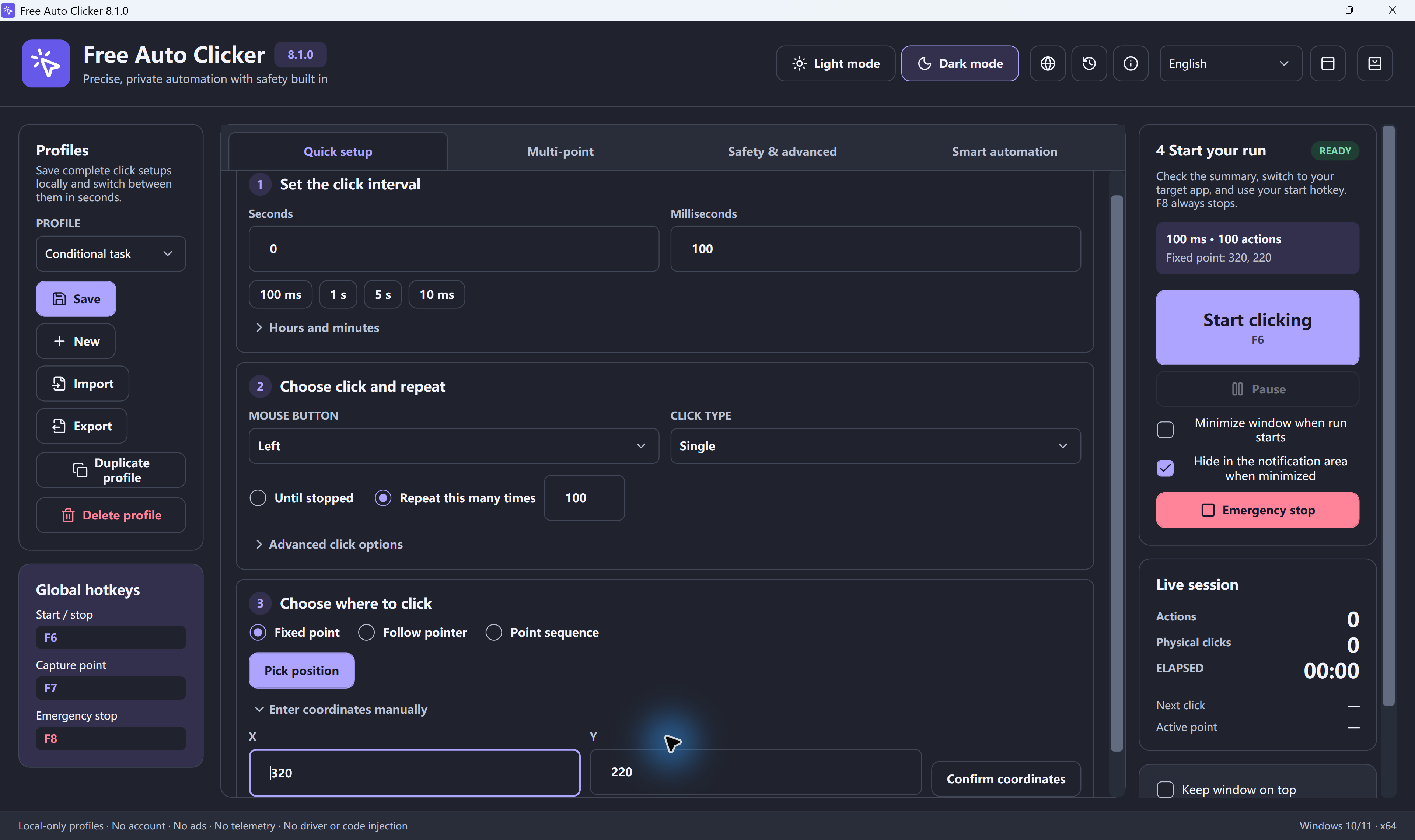
Fixed point
Point at a spot and press Space to capture it, or type the X and Y coordinates.
Find X & Y coordinatesFree auto clicker download · Version 9.0.0
Repeat clicks. Keep control.
A free auto mouse clicker for Windows 11/10: repeat one spot, follow your pointer or run a multi-point sequence. Set a limit; F8 stops. Targets stay visible in front.
Windows 10/11 · x64 · Free · Version 9.0.0 · 8.1.0 release notes
Check the digital signature · Verify the download · Set up your first run
Want to try it without installing? The browser demo repeats clicks on three built-in targets only. It cannot click other tabs or apps.
Try the free browser demo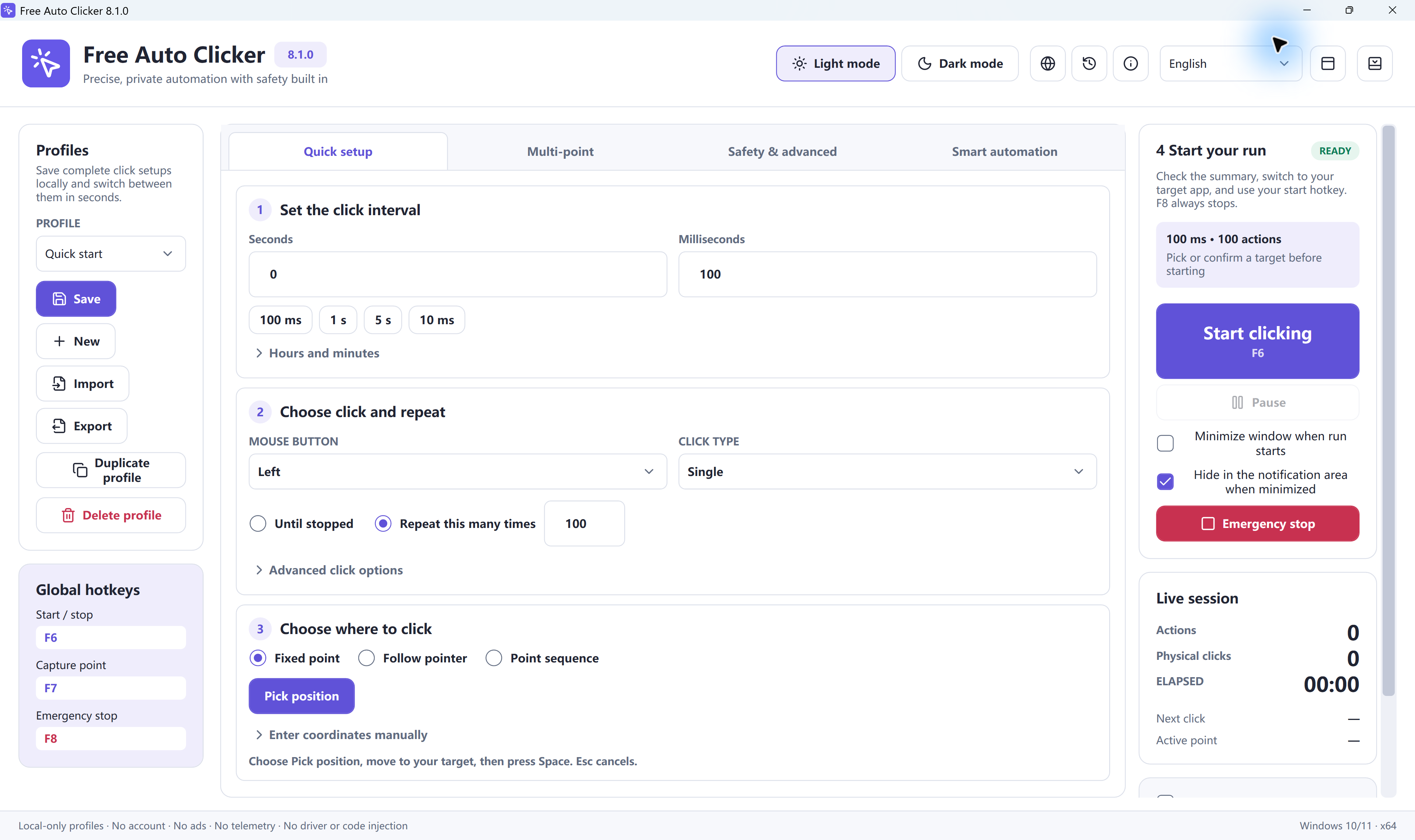
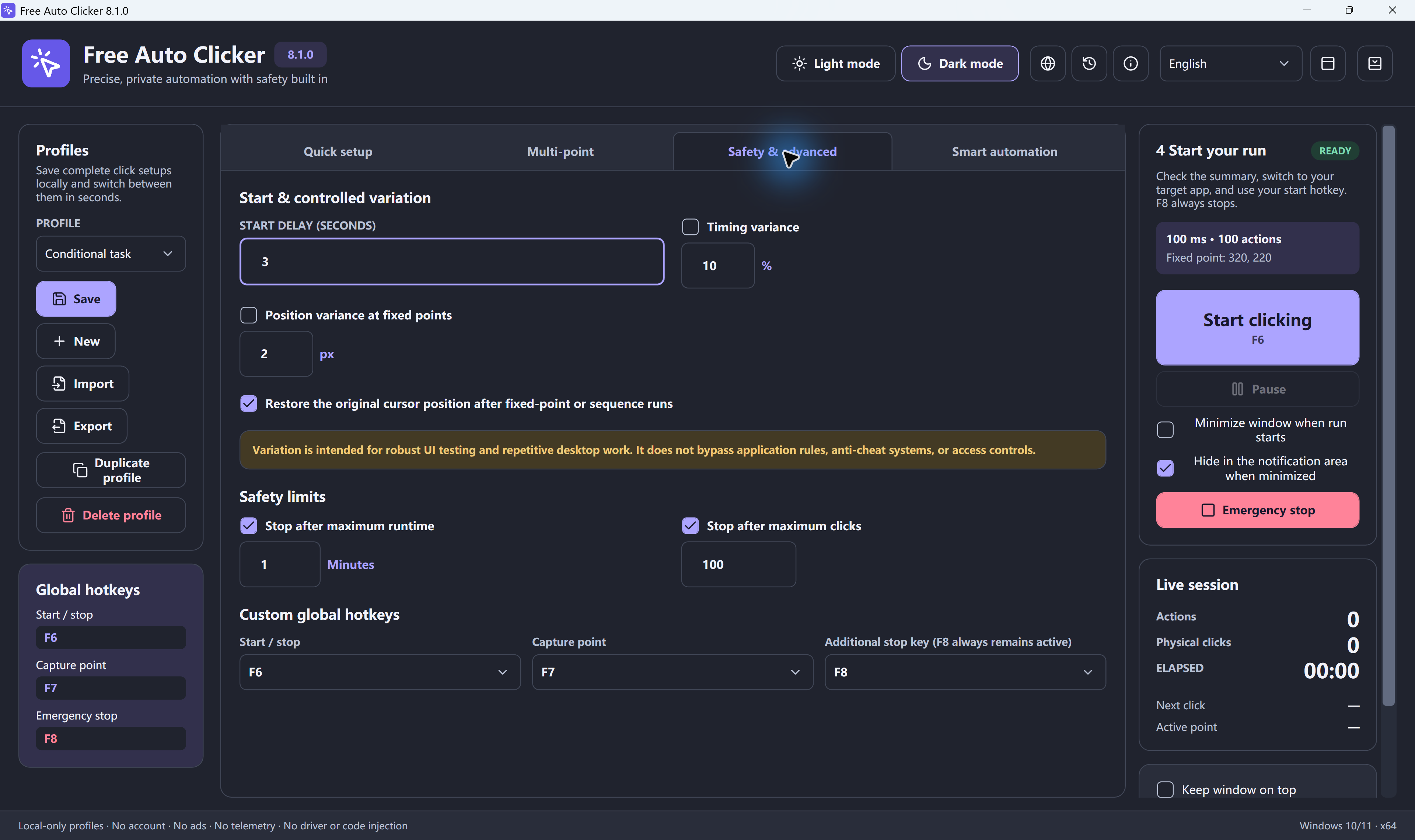
Start with one visible target and a short run. These settings give you time to check where each click lands before you build a longer sequence.
In Quick setup, enter 0 seconds and 500 milliseconds: 2 clicks per second. Use the interval calculator to convert another pace.
Choose Left, Single, and Repeat this many times: 10. In Safety & advanced, you can also set a maximum runtime or click count.
Choose Fixed point and Pick position, move to the target, then press Space. For several controls, follow the multi-point sequence guide.
Switch to the intended visible window. The default F6 key starts and stops the run; F8 is the emergency stop. Keep the target in front: the app does not click minimized or hidden windows.
Pick the target that fits the task.
Point at a spot and press Space to capture it, or type the X and Y coordinates.
Find X & Y coordinates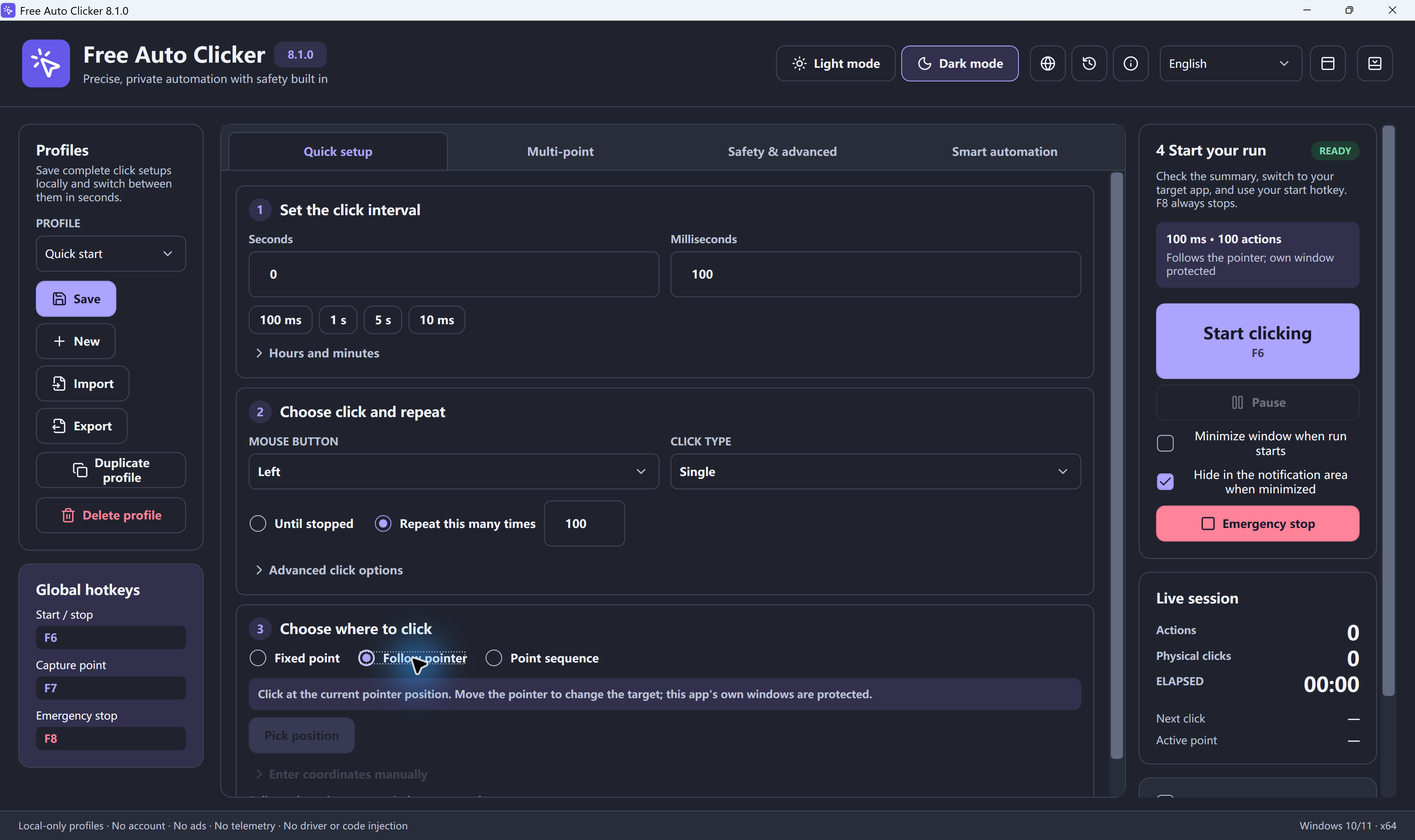
Click wherever your mouse is. Move it and the clicks follow. The app never clicks its own window.
How to auto click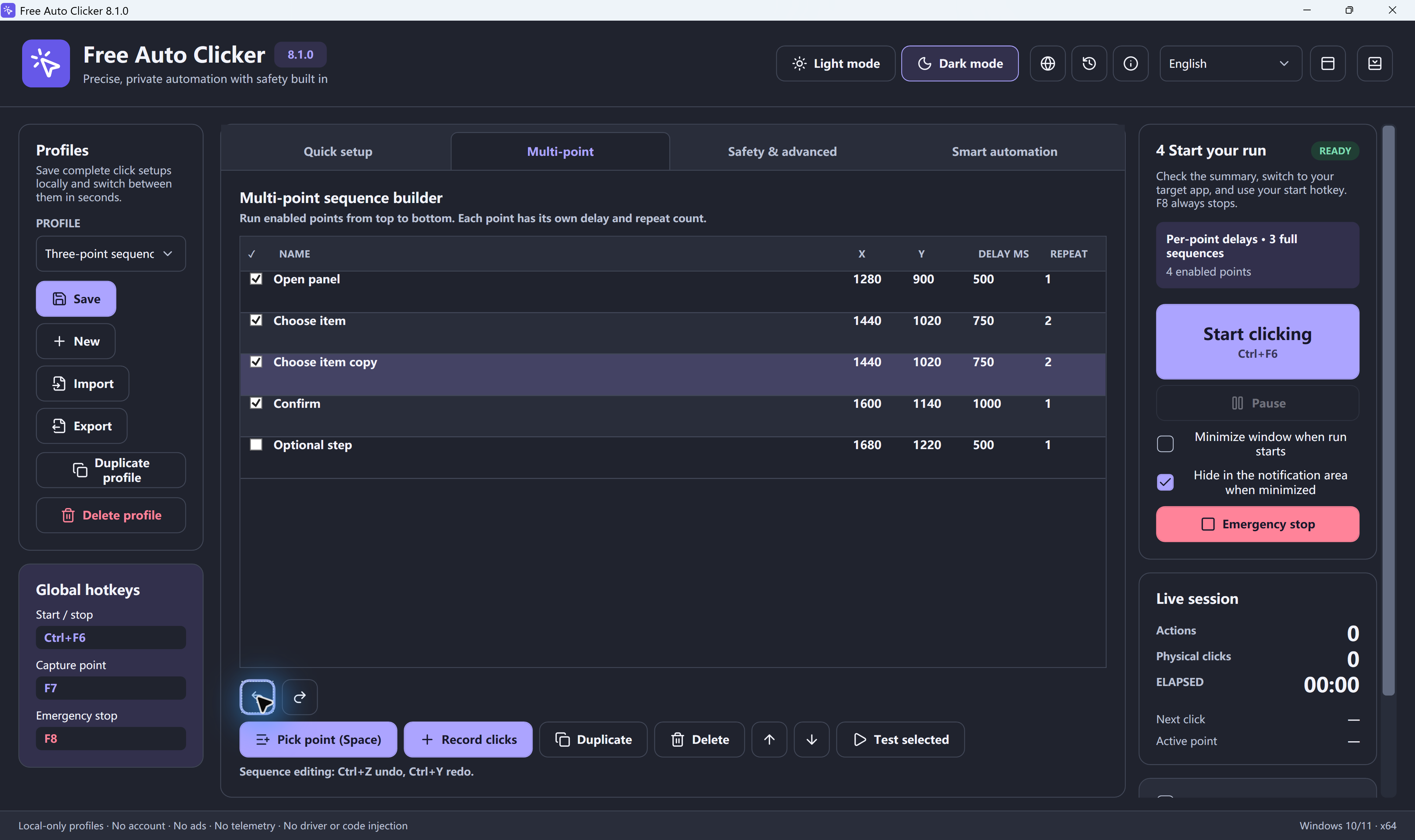
Click up to 10,000 points in order, each with its own delay and repeat count.
Click multiple locationsGlobal hotkeys and a small floating bar keep every run in your hands.
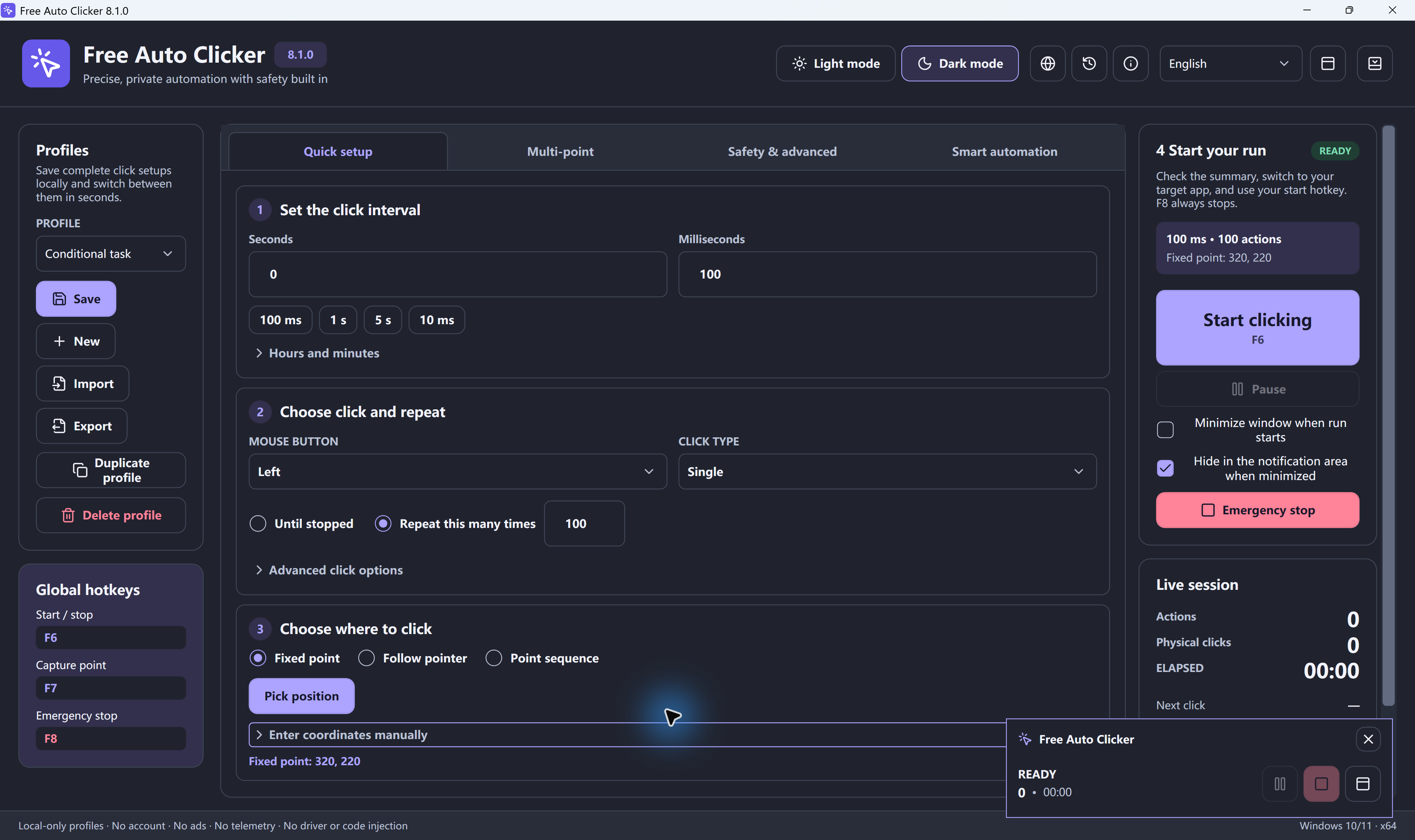
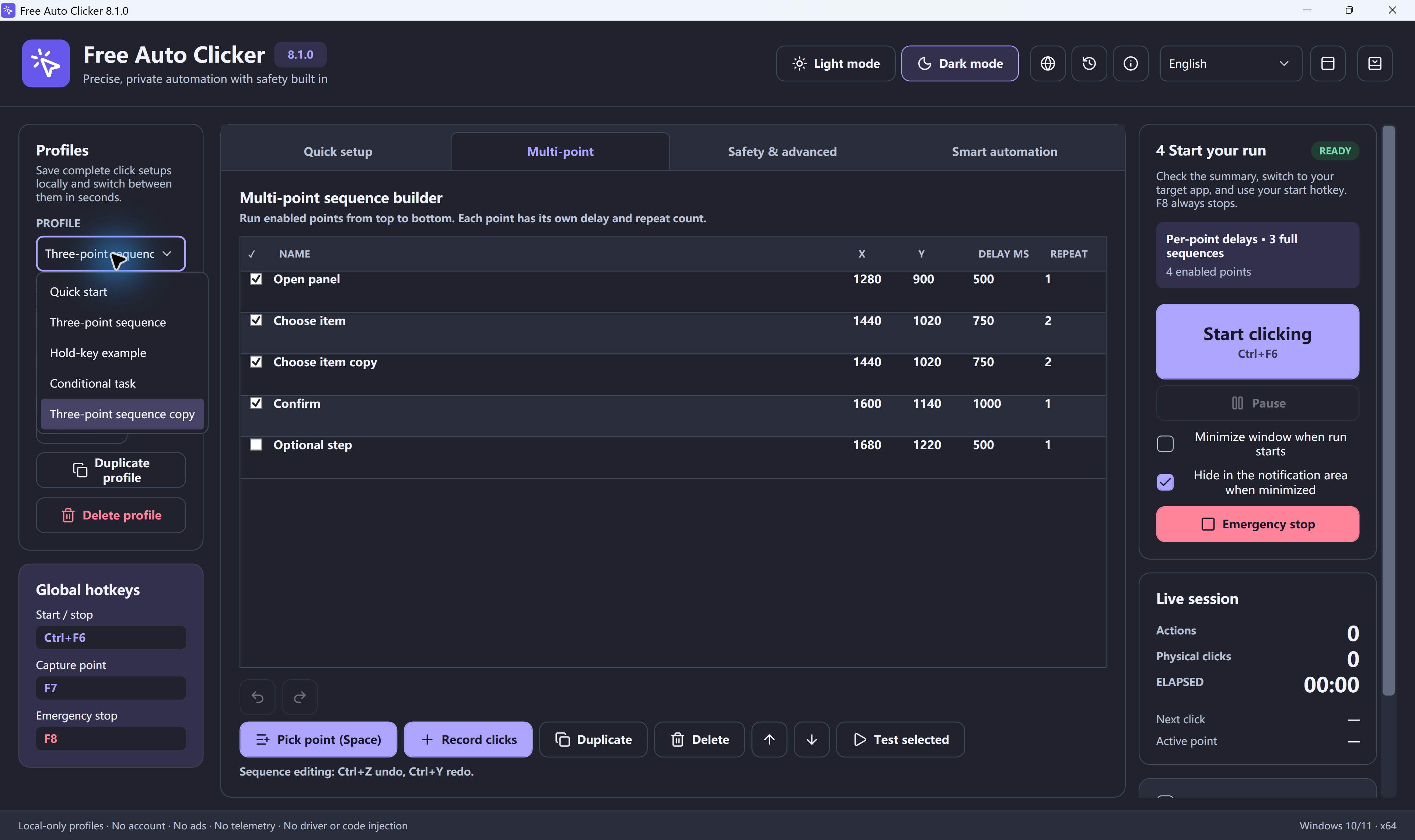
Set a task up once and run it again whenever you need it.
Stay simple, or switch these on when a task needs them.
Bind clicks to a program and its window title. Coordinates move with the window, and the run stops if the window is missing. Learn more
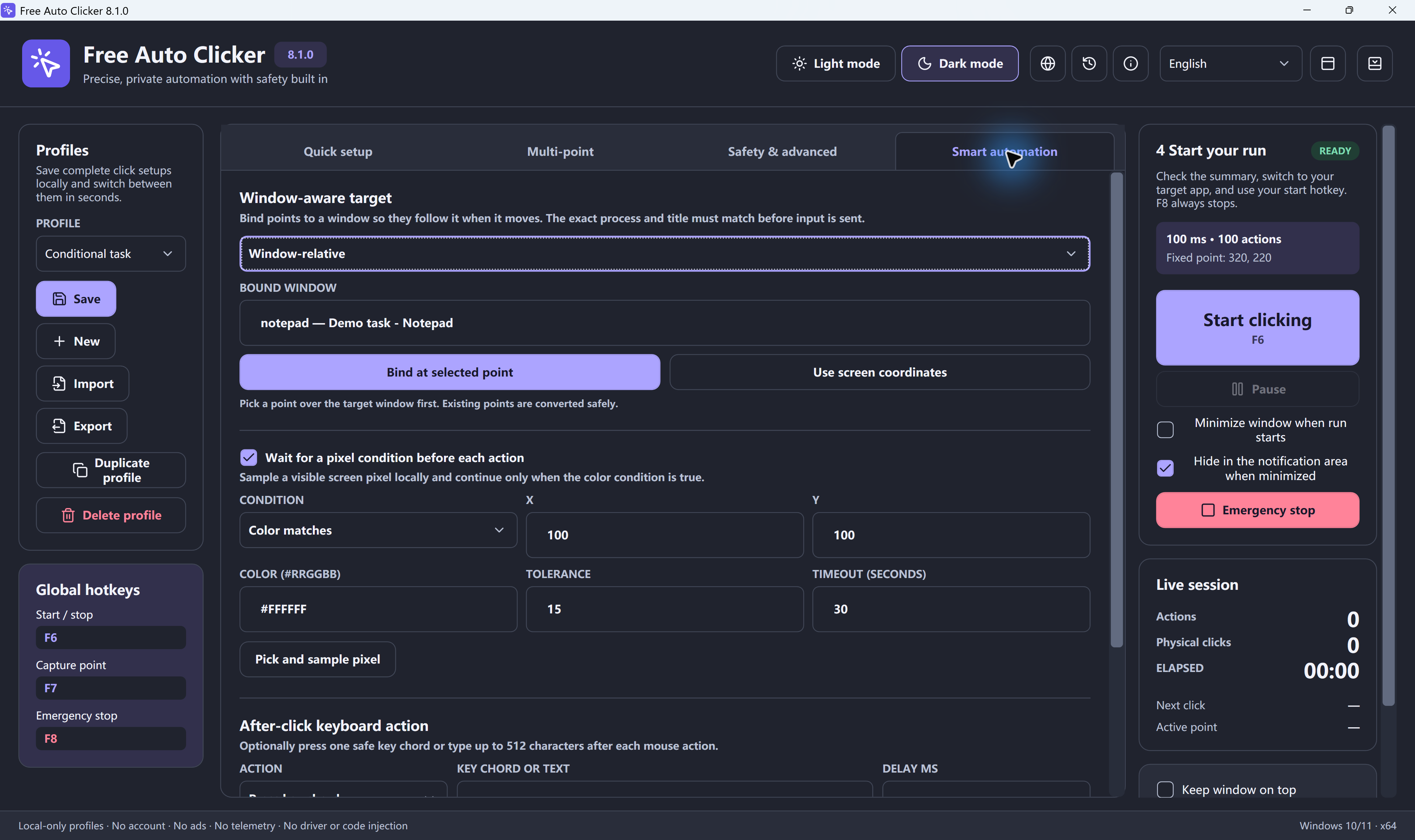
Hold the next click until a pixel matches, or stops matching, a color. Set a tolerance and a timeout. Learn more
Send a key combination such as Ctrl+S, or up to 512 characters of text, after every click. Learn more
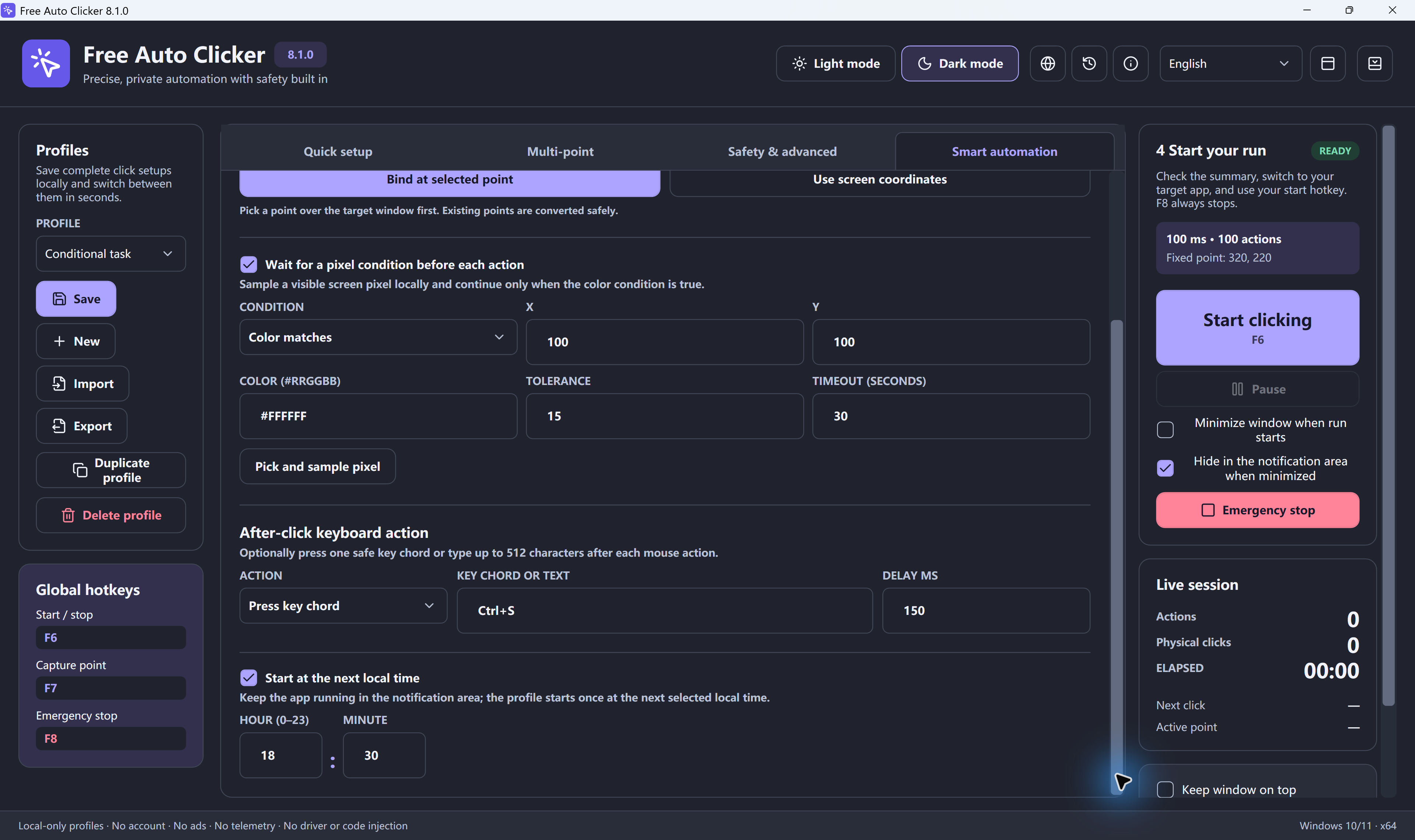
Pick an hour and minute and the run starts on its own. Keep the app open and the PC awake. Learn more
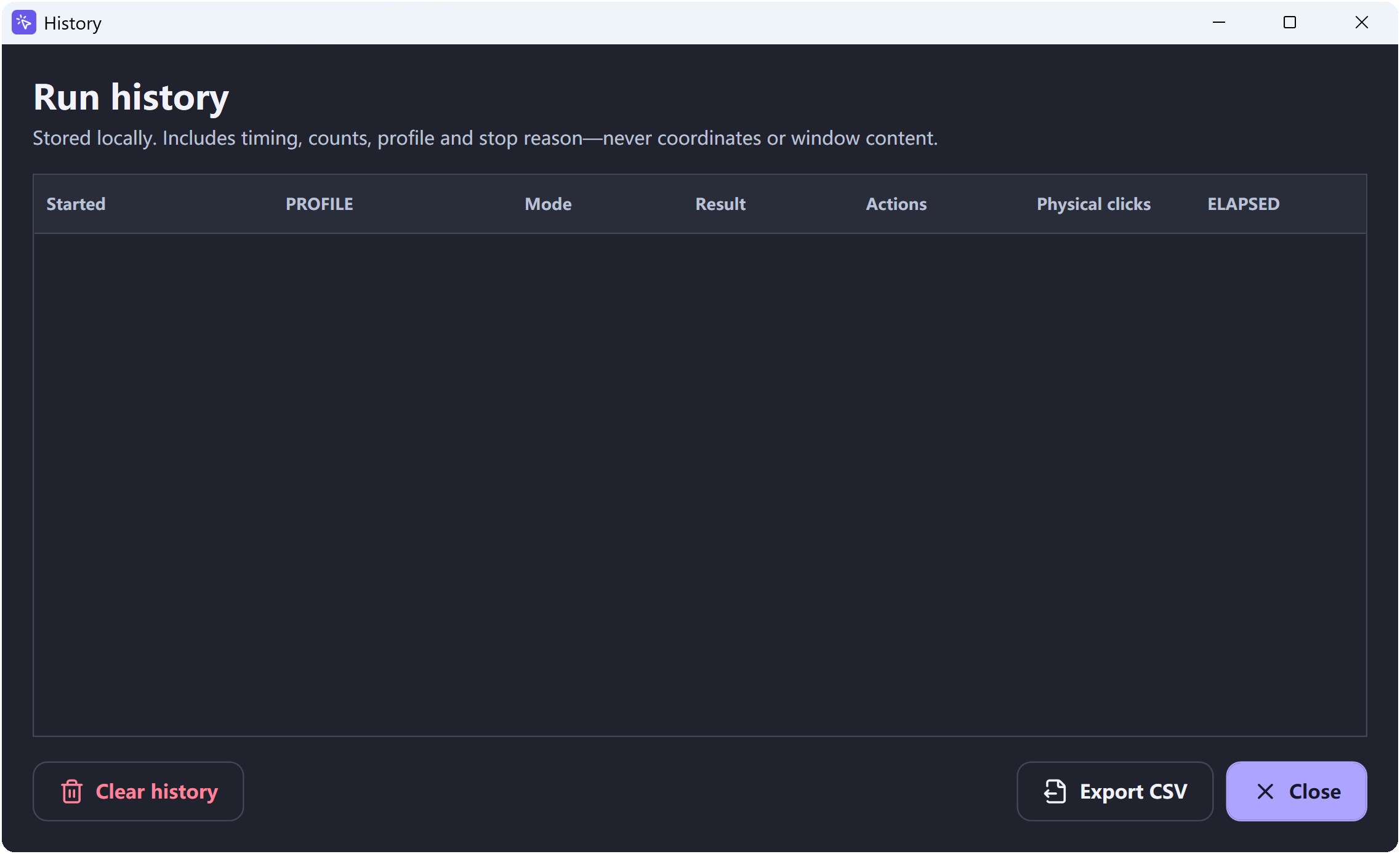
Review up to 500 runs with their clicks, time and stop reason, and export them to CSV. Learn more
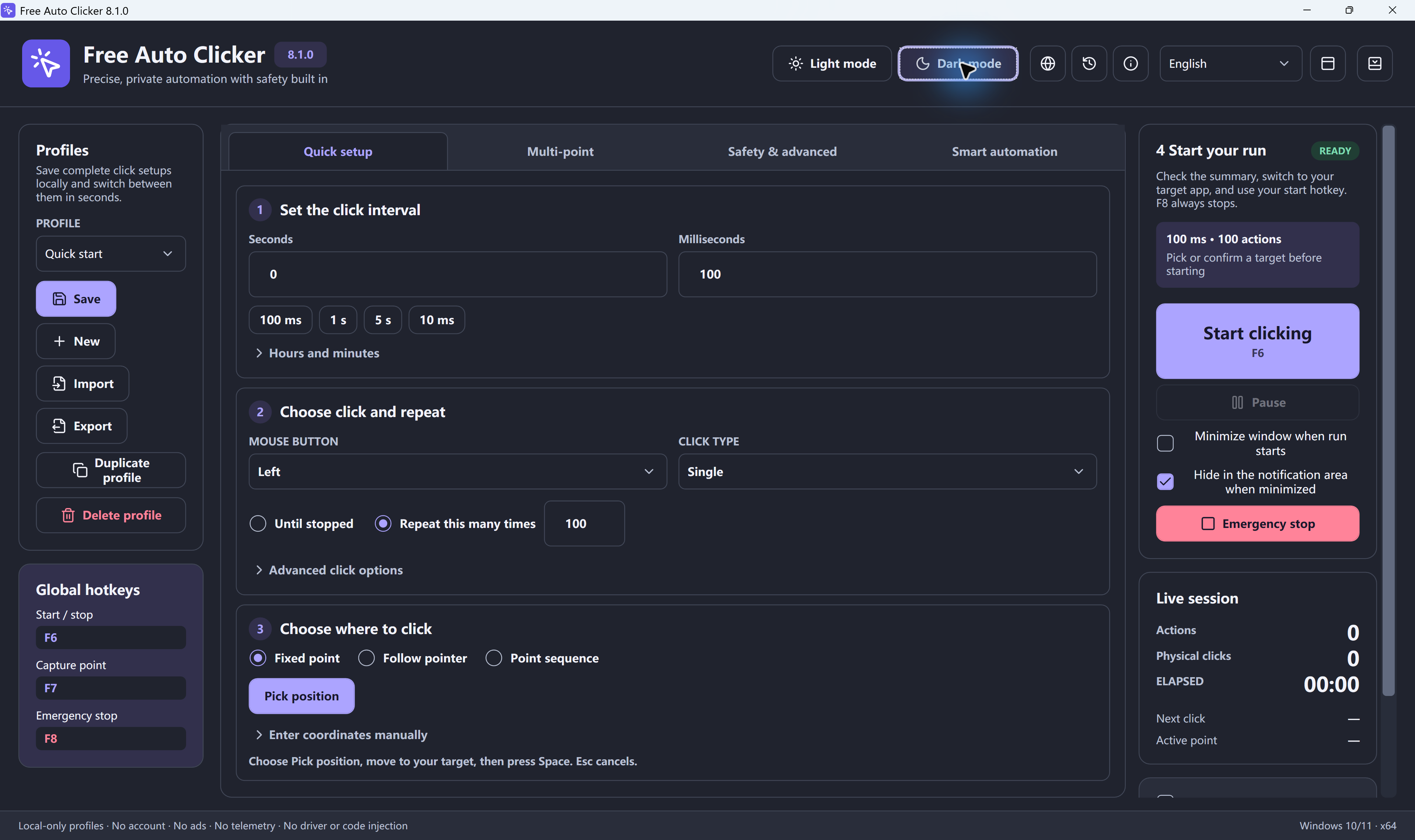
Switch themes anytime. Use the app in English, Español, Português, Français, Deutsch, 简体中文, 日本語, हिन्दी, العربية or Bahasa Indonesia. Learn more
Guides for the jobs people use Free Auto Clicker for most.
Hand off the same click you make a hundred times a day.
Learn MoreReplay the same UI steps on every build.
Learn MoreAdd natural variation to timing and position.
Learn MoreClick once yourself, then let the app repeat it.
Learn MoreWhat background clicking can and cannot do.
Learn MoreSignature, file size and SHA-256 you can check.
Learn MoreSettings for Roblox, Minecraft and idle games.
Learn MoreA free online clicker with no download.
Learn MoreRepeat a key or shortcut after every click.
Learn MoreSimulators, anti-AFK and shop buttons on PC.
Learn MoreMob farms, mining and AFK fishing settings.
Learn MoreClick several spots in order, each with its own delay.
Learn MoreInstall once, then set up your first run in four steps.
An Internet connection is required. Setup may also show an optional partner offer. Review the installation details.
3.74 MB online installer. Setup downloads about 89.8 MB of required components after the optional RelevantKnowledge (RK) invitation and your acceptance of the Free Auto Clicker license. Basic clicking is free; advanced local features unlock after a verified RK installation.
Download for Windows520237791C54279B121A00B7103BCEFDE1265D380412F296E7D906D6B31DB201 · How to verifyAnswers and guides for Free Auto Clicker
Yes. The clicker app is free to download and use. There is no account, subscription or registration.
Set the interval, choose the mouse button and click type, then pick where to click (press Space to capture a point). Review the summary and press F6 to start. Press F6 again or F8 to stop.
You can set intervals from 5 milliseconds up. How many clicks actually land each second depends on Windows, your hardware, the click type and the program you click in.
Yes. Choose Point sequence and add up to 10,000 points. Each point has its own delay, repeat count and on/off switch, and you can record clicks to build the list.
No. It records the positions and intervals of the mouse button you choose. Separately, it can press one key combination or type text after each click.
Press F8. It works even while Ctrl, Alt or Shift is held. You can also stop from the floating control bar, the tray icon or the main window.
Yes, at the next local hour and minute you choose. Free Auto Clicker must stay open and the PC must stay awake; it does not wake a sleeping computer.
Yes, the online auto clicker on this site runs in your browser with no download. A website can only click inside its own page, so use the free Windows app to click in other programs.
It uses standard Windows input, so it works where normal mouse input is allowed. It does not bypass anti-cheat systems or programs running as administrator.
Windows 10 version 2004 or later, or Windows 11, on a 64-bit PC. Setup downloads the required .NET components after the optional RK invitation and acceptance of the app license. Microsoft Edge WebView2 Runtime is also required.
On your PC, in your local app data folder. Export a profile as a .fac file to back it up or move it to another computer.
Free Auto Clicker is a Windows app. On a Chromebook, use the free online auto clicker on this site, which runs in Chrome with no download and clicks on its own page. Learn more
It sends standard Windows mouse clicks, so it works in games that accept normal mouse input. Check each game's or server's rules, because many online games forbid automation. Learn more
Yes. After every click it can send one key combination, such as E, Space or Ctrl+S, or type up to 512 characters of text. Learn more
Download Free Auto Clicker and let it handle the repeat clicks.
Download for WindowsWindows 10/11 · x64 · Free · Version 9.0.0