Free Auto Key Presser for Windows PC
Repeat a key, a shortcut or a short text on a timer, together with a mouse click, in any Windows app.
Download for WindowsWindows 10/11 · x64 · Free · v8.1.0
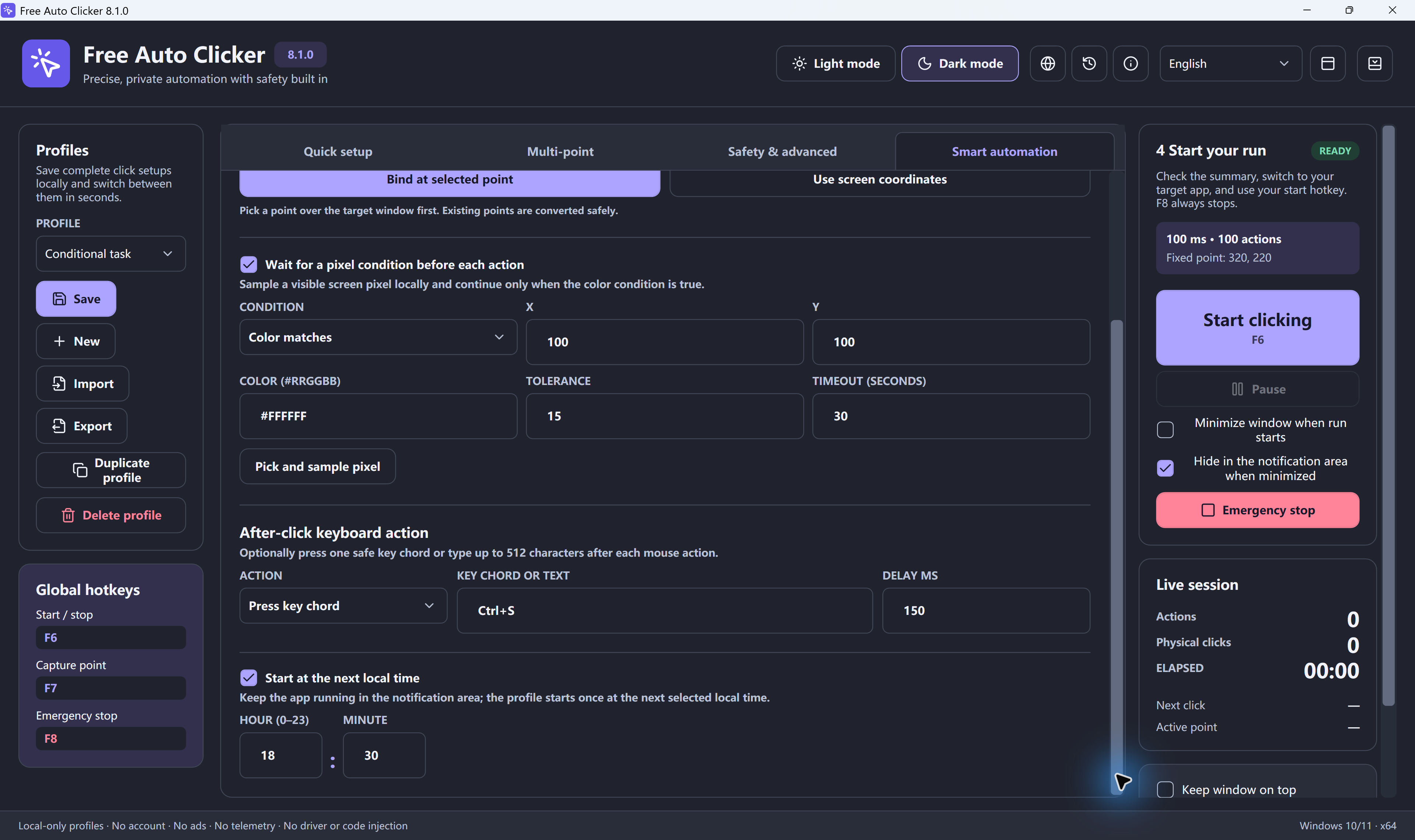
Short answer: Free Auto Clicker can press a key combination (for example E, Space or Ctrl+S) or type up to 512 characters of text on every cycle. Set the interval, add the key action, and press F6. It repeats until you press F8 or a limit is reached.
How to repeat a key automatically
- Open the target app and put it where you want it.
- Set the interval, for example 1 second between presses.
- Choose where the click goes. Point at a harmless spot inside the target window, such as the game area or a text field. The click keeps keyboard focus in that window.
- Add the keyboard action: one key combination, or a short text, with an optional delay after the click.
- Set a limit, such as a number of repeats or a run time.
- Press F6 to start. F6 pauses, F8 stops immediately.
What people use it for
| Task | Key action | Interval |
|---|---|---|
| Interact key in a game | E or F | 250–1,000 ms |
| Jump to stay active in a supervised session | Space | 10–60 s |
| Save a document regularly | Ctrl+S | 1–5 min |
| Next page while reading or reviewing | Page Down | 5–30 s |
| Enter the same test value | Short text | As needed |
Auto key presser, auto typer or macro recorder?
- Auto key presser: presses the same key or shortcut over and over. Free Auto Clicker does this on each cycle.
- Auto typer: types text for you. Free Auto Clicker can type up to 512 characters per cycle.
- Macro recorder: records a long series of different keys and replays it. Free Auto Clicker does not record keyboard macros.
Keep keystrokes in the right window
Keys always go to the window that has focus. Bind the run to the target window, add a short delay after the click, and test once before a long run. Never automate passwords, payment details or messages that send without review. The mouse and keyboard automation guide covers this in detail.
Download Free Auto Clicker 8.1.0Settings for games
Frequently asked questions
Can Free Auto Clicker press keyboard keys?
Yes. On every cycle it can send one key combination, such as E, Space or Ctrl+S, or type up to 512 characters of text.
How fast can it repeat a key?
As fast as the interval you set, from 5 ms up. Many apps ignore keys that arrive faster than they can process, so start around 250 ms.
Does it record keyboard macros?
No. It repeats one configured key combination or text. It does not record and replay a series of different keys.
Why does the key go to the wrong window?
Keys go to whichever window has focus. Point the click at the target window, bind the run to that window and add a short delay before the key.
Is it free?
Yes. Free Auto Clicker is free for Windows 11 and Windows 10, with no account or subscription.
Ready to automate the clicks on your PC?
Free Auto Clicker repeats clicks at the interval you choose, in any Windows app.
Download for WindowsWindows 10/11 · x64 · Free · v8.1.0