Skip to content
Free Auto Clicker
Menu
  • Home
  • Features
  • Download
  • Screenshots
  • Blog
  • About Free Auto Clicker
    • Contact Free Auto Clicker Support

Screenshots

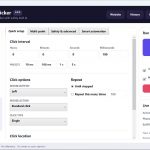
Free Auto Clicker 8.0.0 main window on Windows 11
Quick Setup for single-point mouse automation.
Free Auto Clicker multi-point click sequence editor
Record, add, delete, duplicate, reorder, and test click points.
Free Auto Clicker safety limits and custom global hotkeys
Start delay, variation, runtime limits, click limits, and emergency stop controls.
Free Auto Clicker smart automation with target window and pixel conditions
Window-aware coordinates, pixel conditions, keyboard actions, and scheduling.
Free Auto Clicker draggable coordinate picker on the multi-point screen
The coordinate picker can be moved from any unused area of its window.

Last reviewed:

Continue with a practical next step

  • Browse the complete Free Auto Clicker guide library
  • Convert CPS and click intervals
  • Verify the official installer
Download Free Auto Clicker 8.0.0

Recent Posts

  • Auto Clicker for Software Testing: A Repeatable Windows UI QA Workflow
  • Mouse and Keyboard Automation: Run a Safe Key Action After Each Click
  • How to Save, Export, and Reuse Auto Clicker Profiles (.fac)
  • Mouse Click Recorder vs Auto Clicker: Which Workflow Should You Use?
  • Random Interval Auto Clicker: How Timing and Position Variance Work
Copyright © 2026 Free Auto Clicker – Privacy Policy | Terms of use