Free Auto Clicker for Roblox on PC
Repeat clicks in the Roblox app on Windows. Choose the speed, choose where to click, and stop instantly with F8.
Download for WindowsWindows 10/11 · x64 · Free · v8.1.0
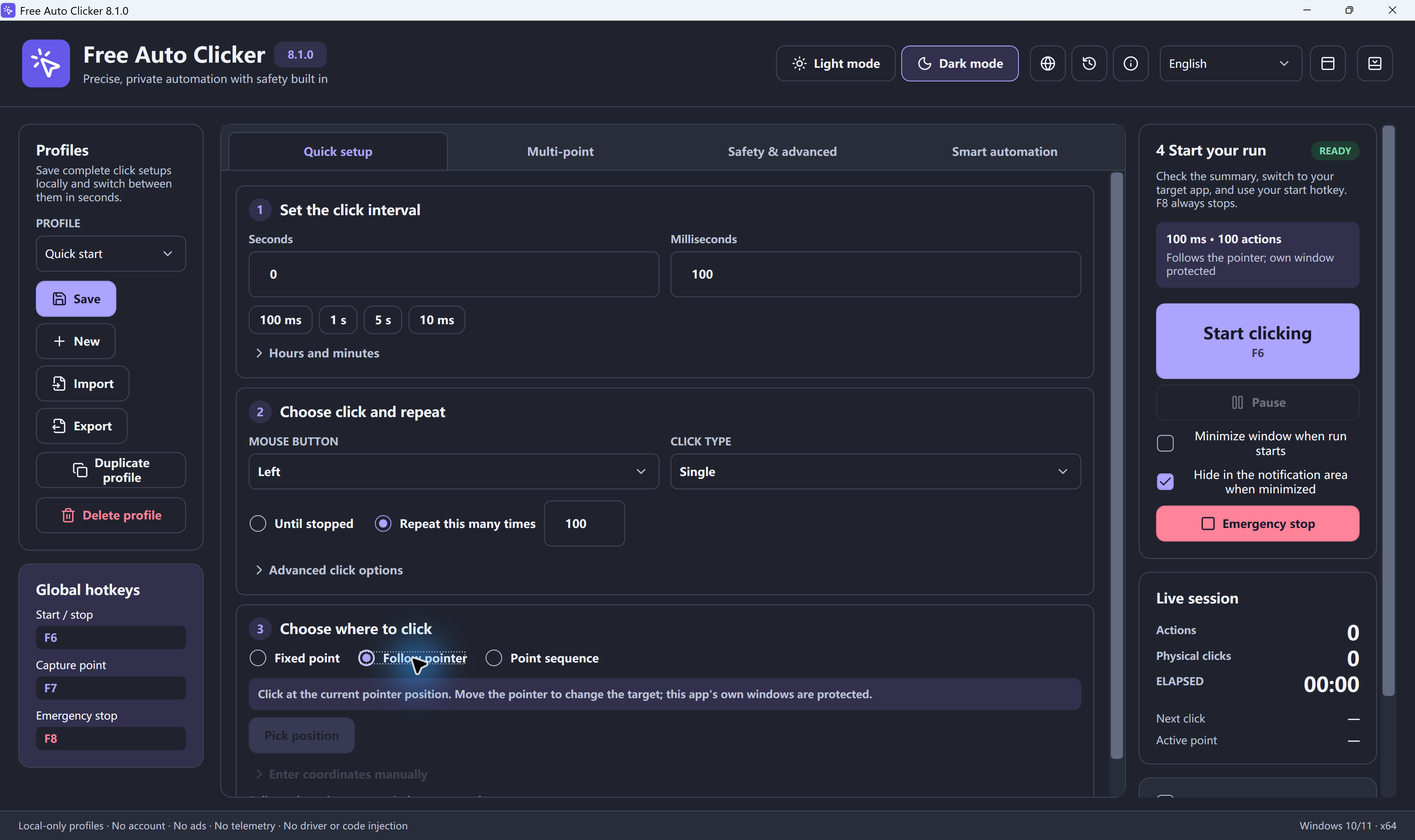
Short answer: Free Auto Clicker sends standard Windows mouse clicks, so it clicks in the Roblox desktop app the same way your mouse does. Set the interval, choose Follow pointer, hover over the game, and press F6. Press F8 to stop at any time.
How to set up an auto clicker for Roblox
- Install Free Auto Clicker on your Windows 11 or Windows 10 PC. It is free, with no account.
- Set the click interval. Start at 100 ms (10 clicks per second). Go lower only if the game keeps up.
- Choose the mouse button. Left click for most actions; right click for some tools and menus.
- Choose where to click. Follow pointer clicks wherever your cursor is. Fixed point clicks one spot you capture with F7.
- Add a limit. Set a maximum number of clicks or a run time so a session ends on its own.
- Open Roblox and press F6. Press F6 again to pause, or F8 for the emergency stop.
Roblox click settings by task
| Task | Target | Starting interval |
|---|---|---|
| Clicker and simulator games | Follow pointer | 50–100 ms |
| Swinging a tool or weapon | Follow pointer | 150–300 ms |
| Pressing the same on-screen button | Fixed point (F7) | 250–1,000 ms |
| Several buttons in order | Point sequence | Per-point delay |
| Staying active during a long, supervised session | Follow pointer | 10–60 seconds |
Very short intervals do not always help: if a game limits how often an action can happen, extra clicks are ignored. Use the click interval calculator to convert between milliseconds and clicks per second.
Several clicks in a row
For upgrade or shop buttons, choose Point sequence, capture each button with F7, and give each point its own delay. The multi-point guide walks through it.
Download safely
Many "Roblox auto clicker" downloads are repackaged with ads or unwanted extras. Download Free Auto Clicker only from this site. The setup is digitally signed and the app needs no account. See is Free Auto Clicker safe?
Download Free Auto Clicker 8.1.0More game settings
Frequently asked questions
Does Free Auto Clicker work with Roblox?
It sends standard Windows mouse clicks, so it clicks in the Roblox desktop app on Windows the same way your mouse does. It does not modify Roblox.
Is using an auto clicker on Roblox allowed?
An auto clicker does not change the Roblox client, but individual experiences can forbid automation and remove players who use it. Check the rules of the experience you play.
What is a good auto clicker speed for Roblox?
Start at 100 ms, which is 10 clicks per second. Simulator games often use 50 to 100 ms. If the game ignores extra clicks, a faster setting will not help.
Can it click while Roblox is minimized?
No. Free Auto Clicker clicks the visible foreground window. Keep Roblox open and in front while it runs.
Does it work for Roblox on a Chromebook, phone or Xbox?
No. Free Auto Clicker is a Windows app. On a Chromebook you can use the online auto clicker, which clicks only on its own page.
Ready to automate the clicks on your PC?
Free Auto Clicker repeats clicks at the interval you choose, in any Windows app.
Download for WindowsWindows 10/11 · x64 · Free · v8.1.0